Blueprint API
Functions and variables
Below is a complete list of available parameters and functions. If you find that this list is missing something, feel free to reach out.
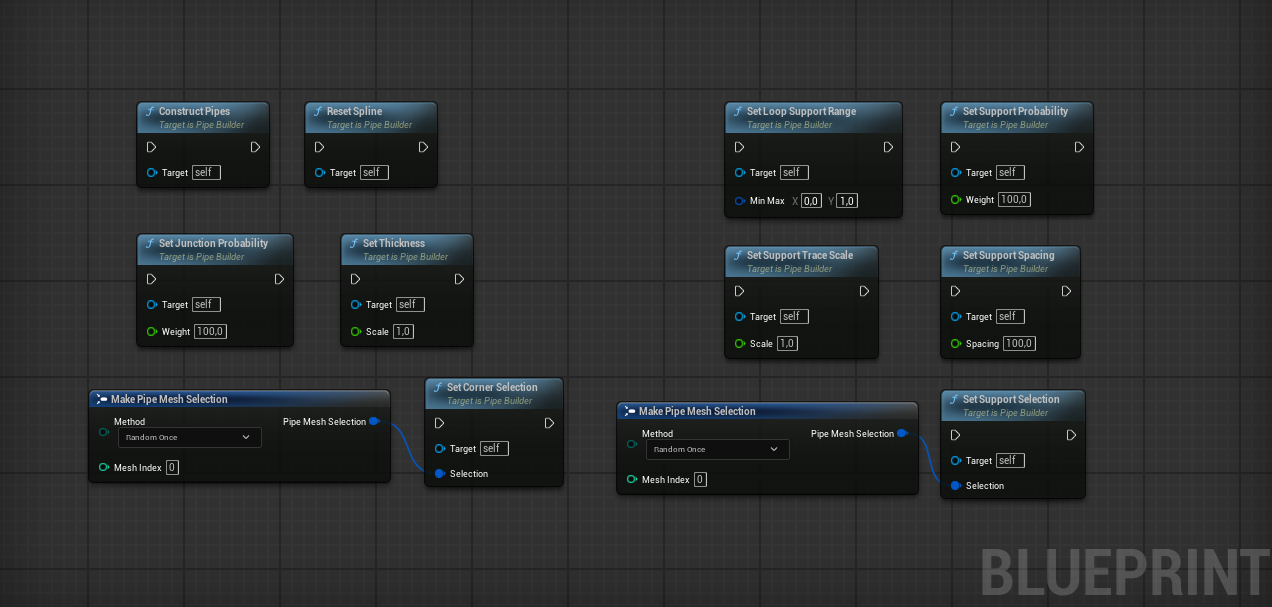
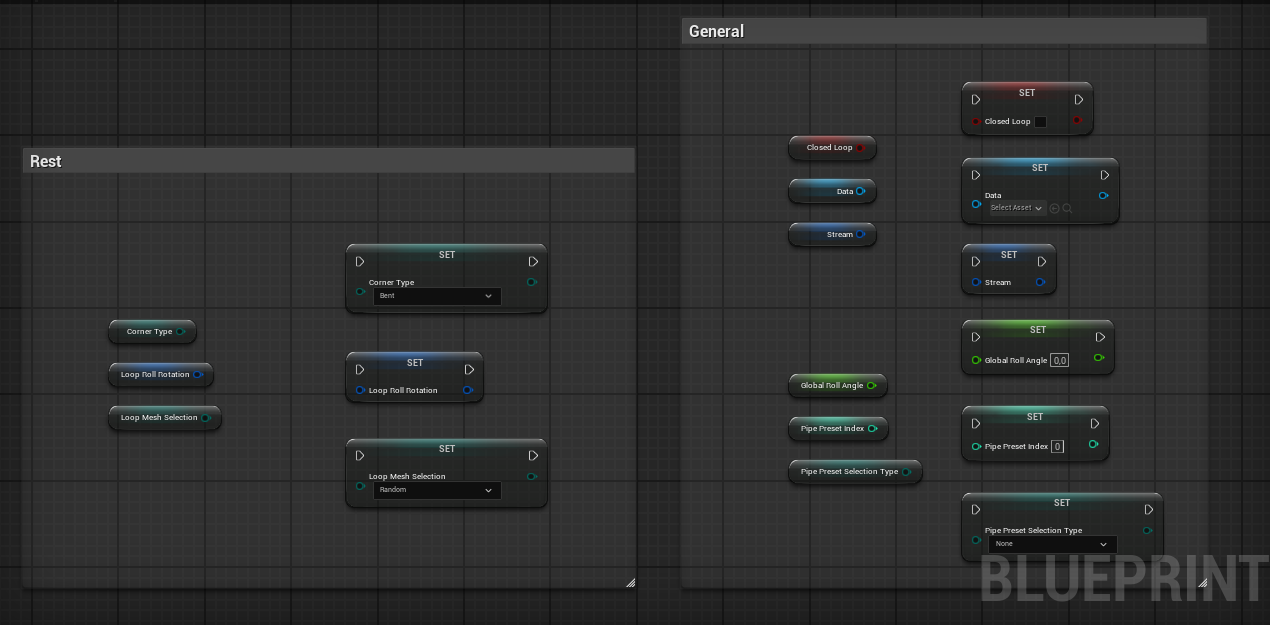
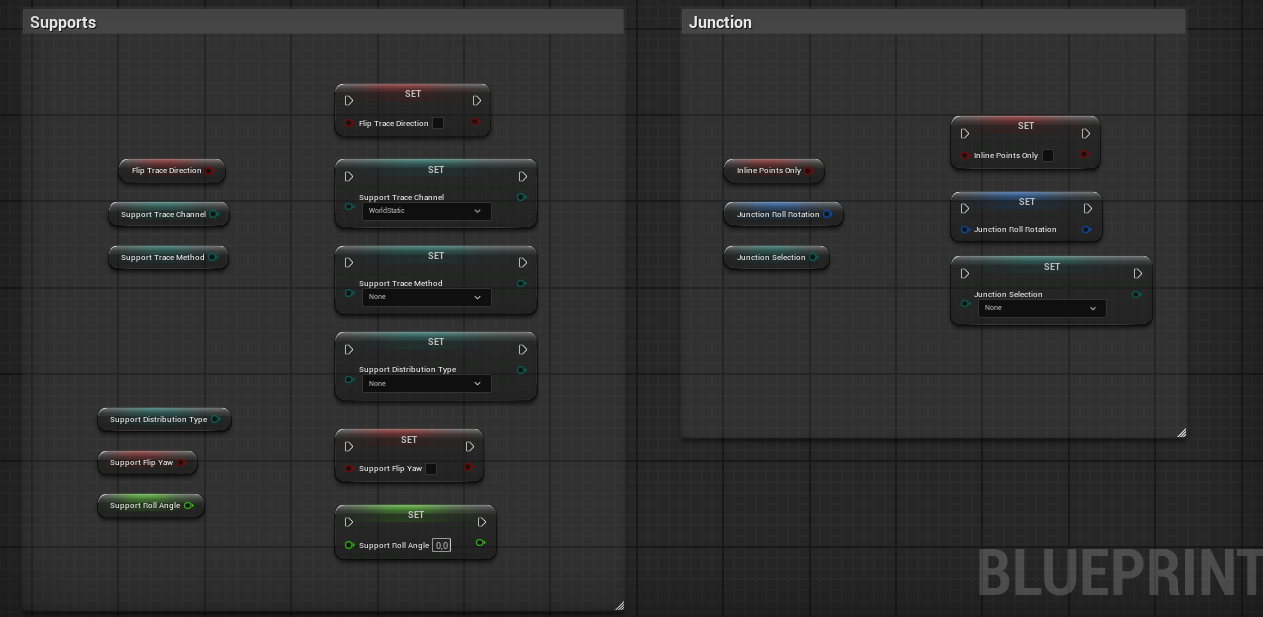
By default, pipe actors construct themselves during the Construction Script phase. However, this behavior can be customized through two primary methods, depending on your specific needs:
Linear interpolation type, regardless.Enhanced Construction Script
If you need procedural logic but want to maintain editor-time visibility, you can override the Construction Script while preserving core functionality.
Add a Call to the Parent Function
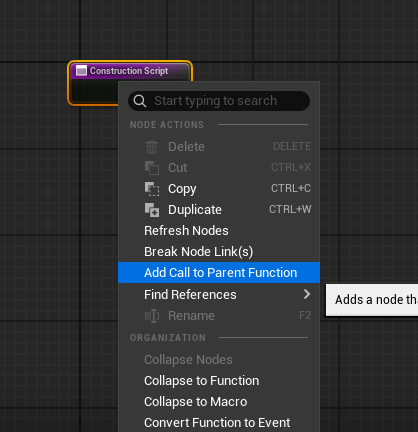
Navigate to your actor’s Construction Script graph, right-click the ConstructionScript event node, and select Add Call to Parent Function.
Edit Pre-Construction
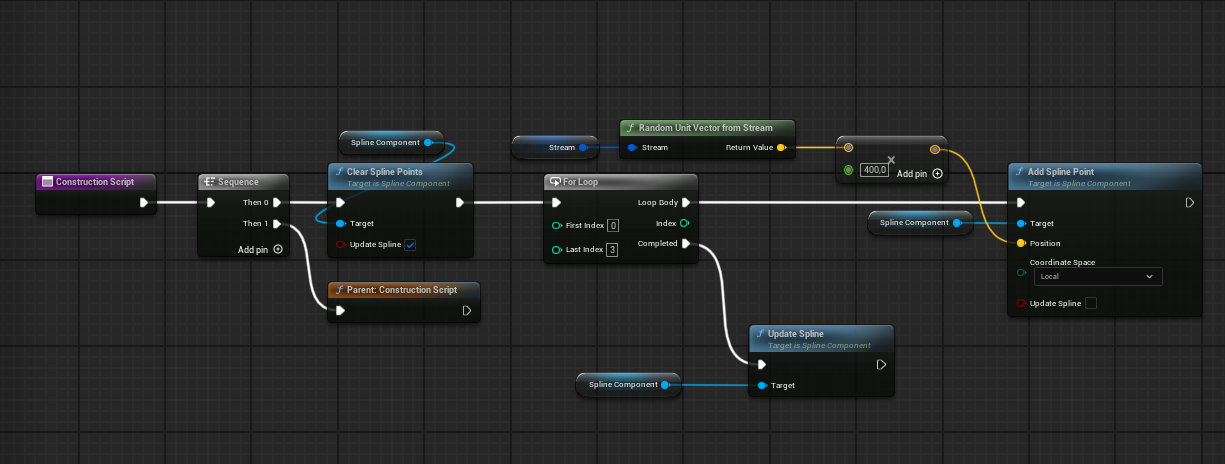
Insert your procedural logic before the parent function call. The example below demonstrates spline points manipulation.
Custom Event
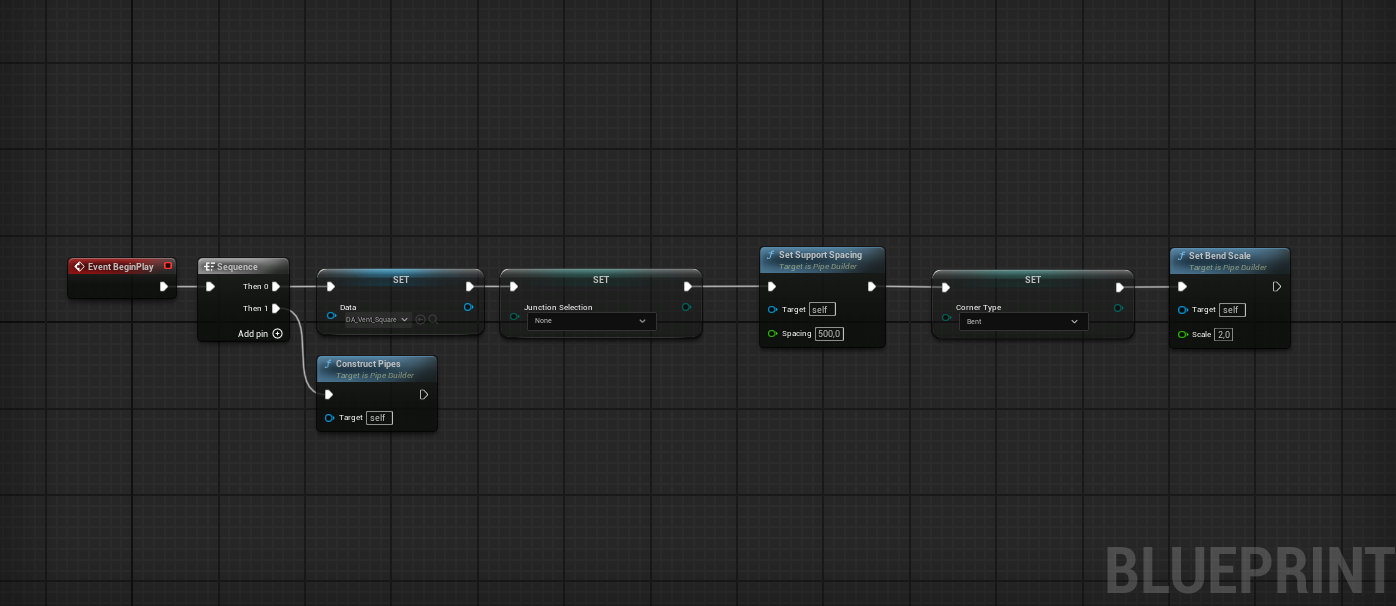
This approach provides maximum control over construction timing and is ideal for procedural levels where build order matters.
Disable the Construction Script
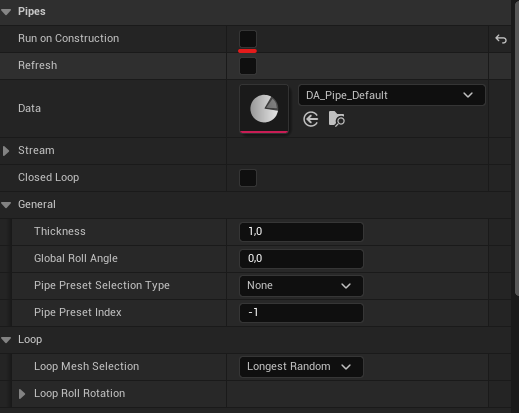
In your custom actor’s Details panel, set the Run on Construction boolean property to false. Note that this variable can only be changed in the Class Defaults.
Use a Custom Event
Modify spline points or set any required variables before calling the ConstructPipe() function, as shown in the example below.