Actor

The Powerline Actor uses a Spline Component as its root, allowing you to build complex powerline networks in seconds. The actor is written entirely in C++, ensuring high performance that does not degrade with additional spline points and providing smooth interaction in the editor.
Key design choices improve workflow:
- Data-Driven Setup: Variables that are not used frequently and meshes are stored in a Data Asset. This allows quick presets changes and keeps the actor’s property list clean.
- Performance-First: The C++ core ensures real-time updates remain fast, even with detailed cables and many connections.
Simply select the required data asset, and you are ready to build.
General
The powerline actor supports two cable generation modes:
- Sockets: Grabs positions from pole static mesh sockets tagged with
Cableand uses them as cable points. (Default) - Virtual Sockets: Dynamic, user-defined mode that offers greater flexibility. You can adjust cable count, freely position cables, reuse the same static meshes and data asset, and maintain direct control over material sequences. Ideal for wall-mounted, ceiling, and similar cable systems.
Example video showing how to build dynamic virtual sockets.
| Variable | Default | Description |
|---|---|---|
| Refresh | false | Triggers the construction script and resets itself to false. Use this to safely update the actor (e.g., after modifying connections) without needing to change another variable. |
| Data Asset | Powerline Default | The primary Data Asset containing pole meshes, materials, and other static configuration. |
| Stream | Auto-generated | The random seed that drives all procedural randomness (pole variation, cable gravity, etc.) within the actor. |
| Closed Loop | false | Spline Component property. When enabled, connects the last spline point to the first, forming a continuous loop. Requires at least 3 points. |
Materials
| Variable | Default | Description |
|---|---|---|
| Pole Preset Selection | None | Determines how material presets are selected from the data asset. • None: Disables material selection and application to the mesh. • Random: Randomly selects a preset from the data asset and stores the index in the Pole Preset Index variable.• Manual: Allows direct selection of a preset by index. |
| Pole Preset Index | -1 | The index of the material preset applied to pole meshes. This is a cyclical index (any integer is valid). A value less than 0 disables material selection and application. |
| Cable Material Selection | Random | Determines how cable materials are selected from the data asset. • None: Not used; automatically changes to Random type. • Random: Randomly selects a material per cable. • Manual: Allows direct selection of a cable material data by index for each virtual socket or static mesh socket. Note: The order of materials is not guaranteed for the Sockets cable source type. |
| Manual Cable Materials | Empty | List of indices for each socket or virtual socket. This is a cyclical index (any integer is valid). |
Tracing
An optional line trace system for automatically aligning spline points to a surface.
| Variable | Default | Description |
|---|---|---|
| Type | None | None: Disables surface alignment. Trace: Performs a line trace from each spline point (along the Z-axis) and aligns to the first blocking hit. Trace Debug: Same as Trace, but draws debug lines for visualization. |
| Distance Up Down | (250, 500) | The maximum trace distance in units. X = upward direction, Y = downward direction. |
| Trace Channel | Visibility | Trace collision channel. |
| Offset | 0 | Offsets the aligned spline point along the hit surface’s normal by this distance. |
Poles
Adds procedural randomness to pole meshes. Scale affects both static and spline meshes.
| Variable | Default | Description |
|---|---|---|
| Rotation Yaw Min Max | (0, 0) | Applies a random Yaw rotation (around Z) to each pole within the specified range. |
| Rotation Pitch Min Max | (0, 0) | Applies a random Pitch rotation (around Y) to each pole within the specified range. |
| Rotation Roll Min Max | (0, 0) | Applies a random Roll rotation (around X) to each pole within the specified range. |
| Scale Min Max | (1, 1) | Randomly scales each pole mesh within the specified range (clamped to prevent errors). |
Cables
The plugin’s core feature generates realistic cables using different physical simulation modes.
Cable Type
Selects the mathematical model used to calculate the cable’s curve.
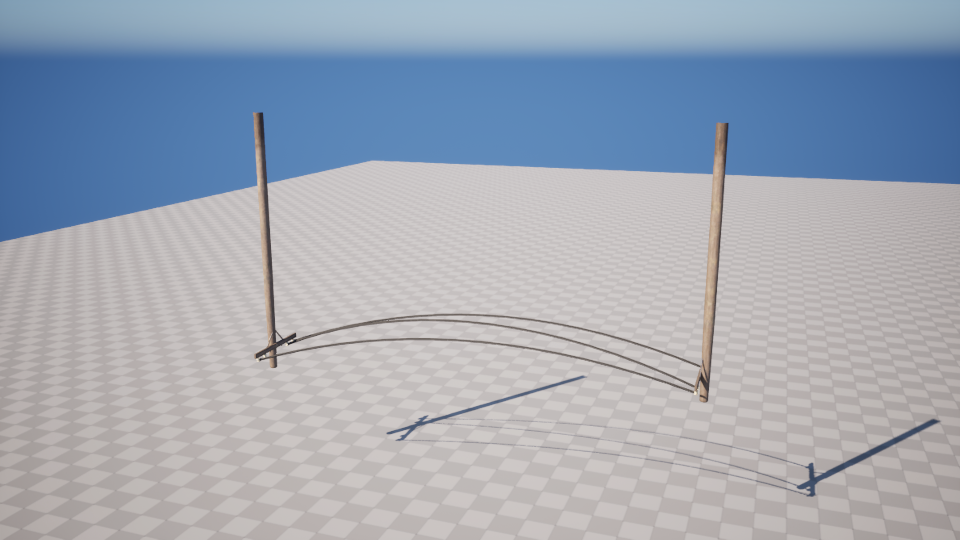
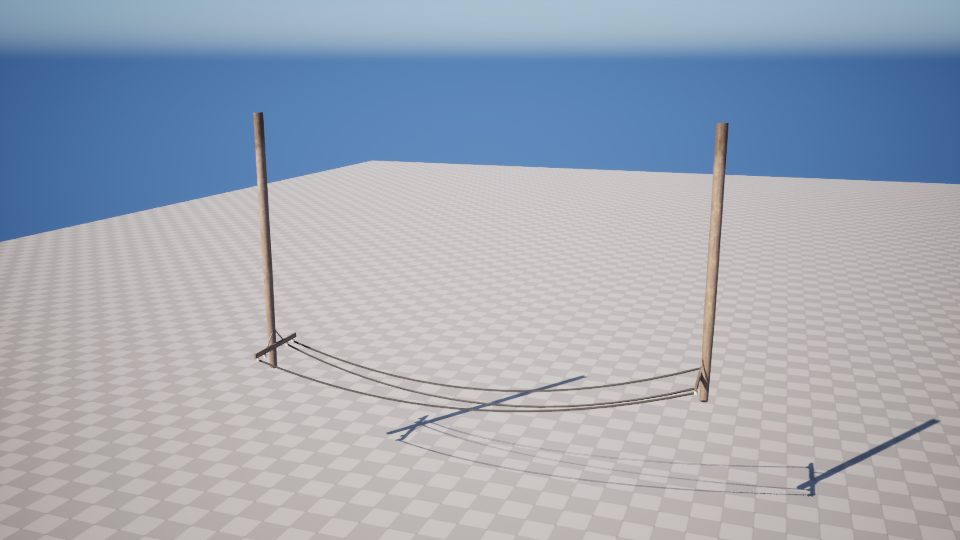
- Parabolic: An approximation that assumes the cable load is uniformly distributed along the horizontal span between poles. This is the fastest calculation method and is fine-tuned for the plugin’s default data asset.
- Catenary Tension: Calculates a curve based on the cable’s internal tension force. This offers more precise physical control than the Parabolic mode.
- Catenary Slack: Calculates a curve based on the physical length (slack) of the cable being greater than the straight-line distance between poles. Ideal for simulating ropes or long, drooping powerlines.
World Gravity
Toggle between local and world gravity.
- Local: Uses the Actor Z axis. The cable sag direction rotates with the actor.
- World: Uses the World Z axis, independent of the actor’s rotation.Note: The magnitude of gravity for both modes is scaled by
Global Gravity Zvariable inWorld Settings.
Cable Properties
| Variable | Default | Description |
|---|---|---|
| Cable Gravity Scale | 1.0 | Scales the influence of gravity on the cable’s sag. Set to 0 to disable gravity effects. Note: Does not affect the Catenary Slack type. |
| Cable Wind Scale | 1.0 | A global multiplier for wind intensity. Only affects cable materials that have wind displacement enabled. |
| Cable Gravity Min Max | (0.75, 1.25) | Randomizes the Cable Gravity Scale per individual cable within this range. X = minimum, Y = maximum. |
| Cable Slack Min Max | (3.0, 3.5) | Catenary Slack type only Randomizes the amount of slack (extra length) for each cable. X = minimum, Y = maximum. |
| Cable Tension | 300 | Catenary Tension type only The tension force applied to the cable. |
| Cable Mass Per Unit | 0.1 | Catenary Tension type only The mass per unit length of the cable. |
Advanced
This section contains helper utilities and debug variables.
Target Copy Actor
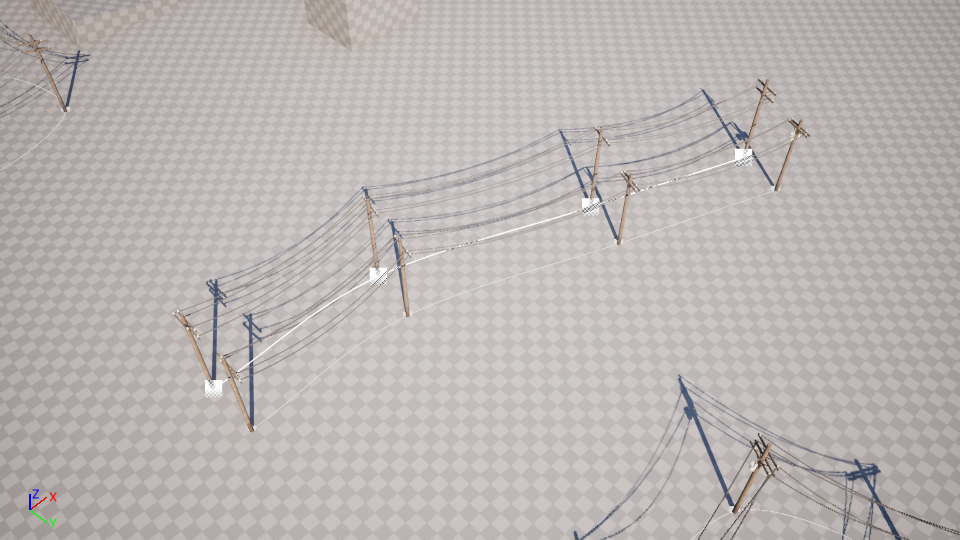
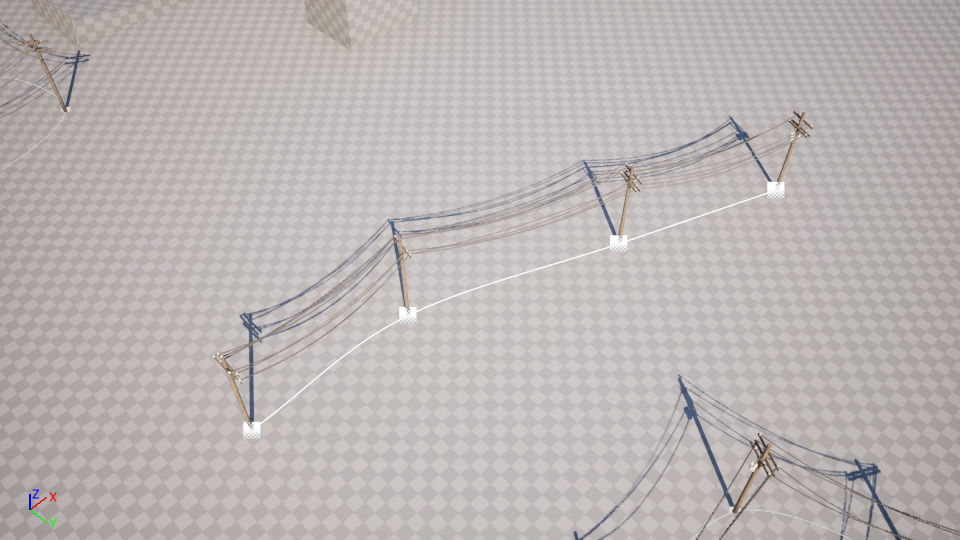
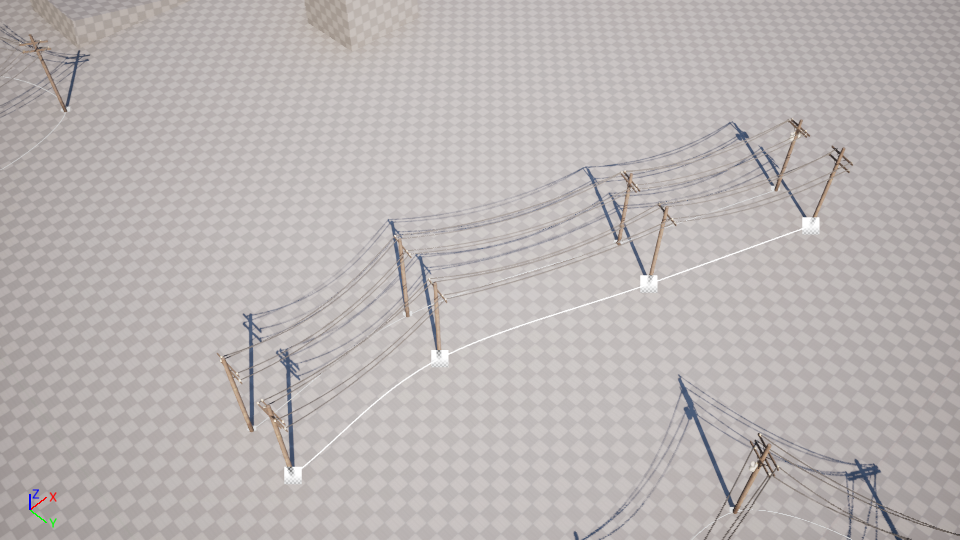
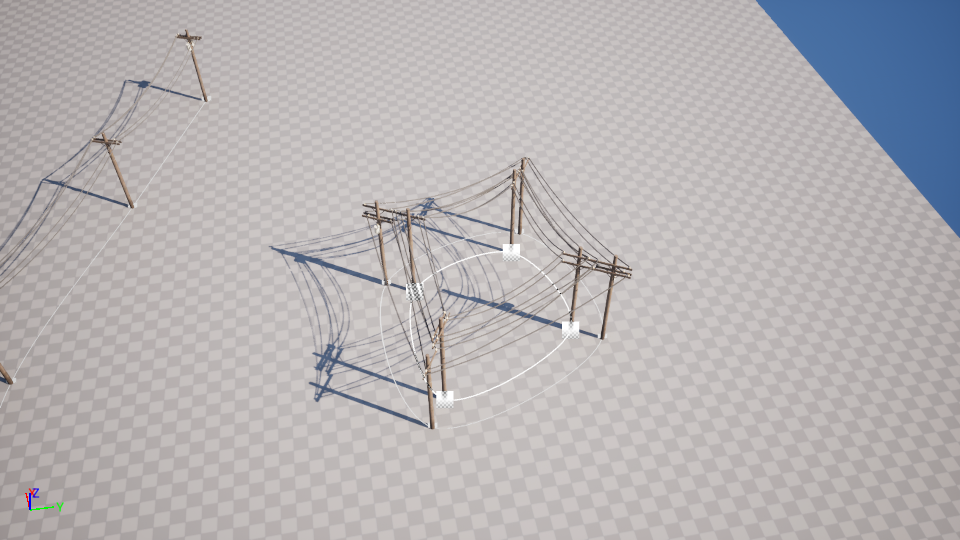
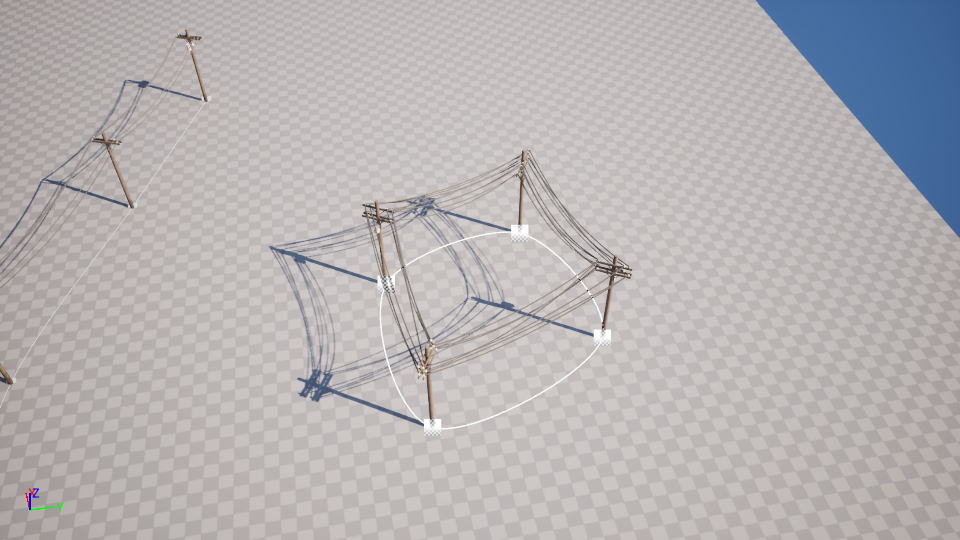
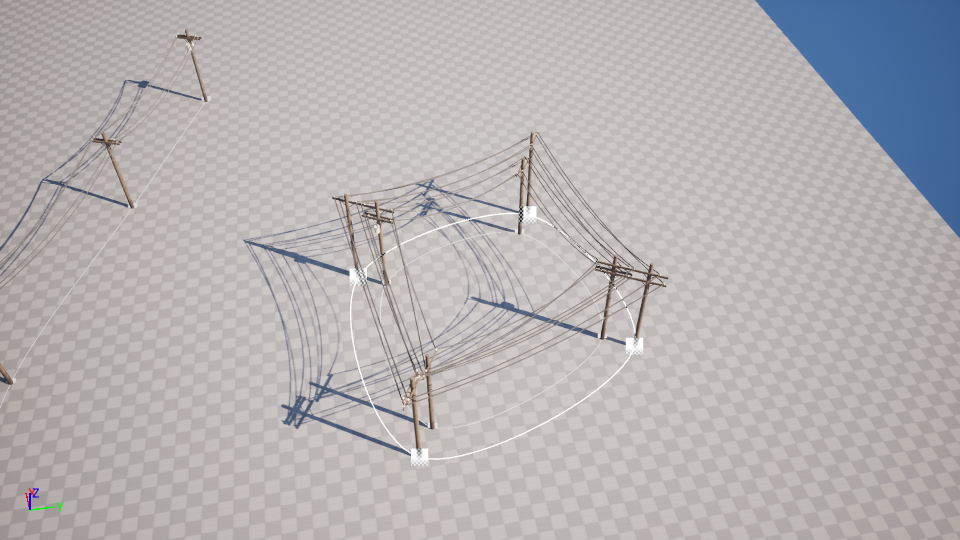
Allows you to copy spline points from any other actor whose root component is a Spline Component (e.g., a road spline). This is useful for automatically aligning powerlines with existing networks without manual point placement. If the target actor’s spline is a closed loop, this property is also copied.
Target Copy Offset
A vector offset applied to all points copied from the Target Copy Actor. Below are visual examples of applying an offset.
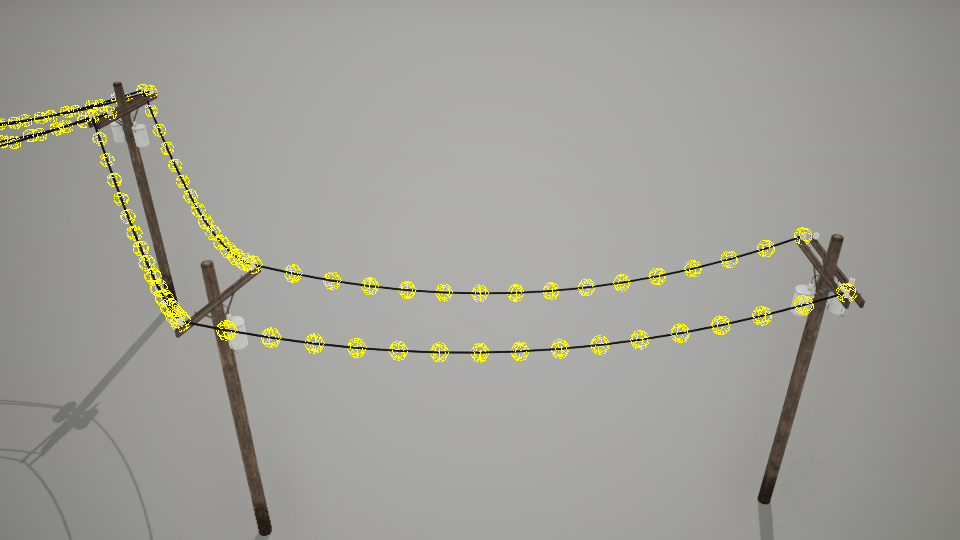
Show Cable Points
Enables a debug visualization of the cable points.
Custom Powerline Actor
You can create your own custom actor by extending native powerline class to set your preferred default values and data asset.
To create a custom powerline actor, follow these steps:
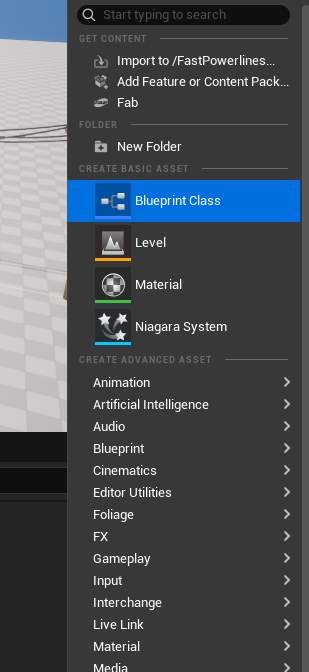
Create a Blueprint Class
Right-click in the Content Browser and select Blueprint Class.
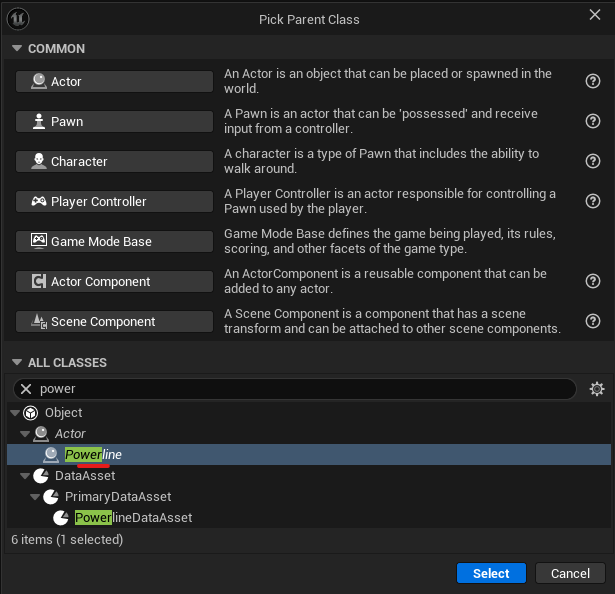
Choose the Native Powerline Class
In the Pick Parent Class window, type powerline in the search bar. Select the Powerline class as shown below, then click Select. Enter a name for your new custom actor.
Configure Default Values
Open your new Blueprint and customize its properties (like cable settings, materials, or spline defaults) to fit your project’s needs.